Tailor for your business
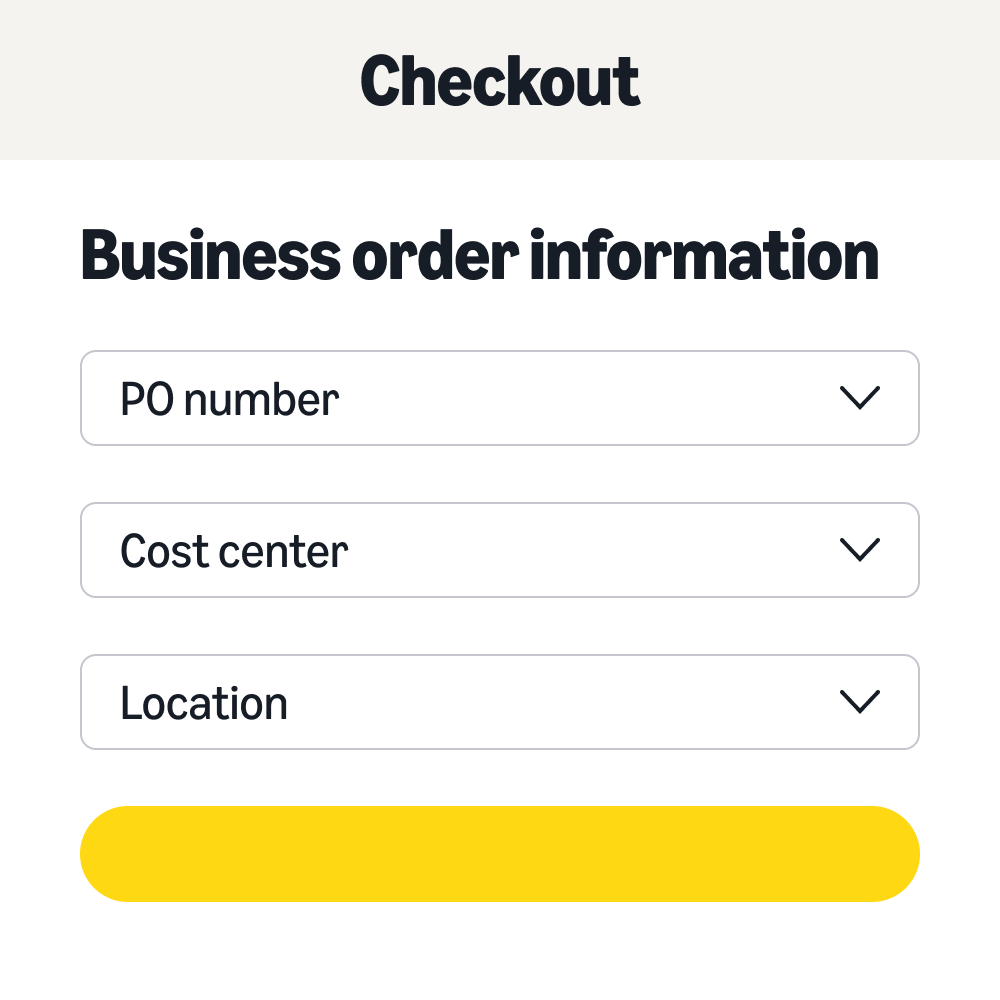
Collect order information using our pre-defined fields or create up to 13 additional custom fields.
Tailor for your business
Customise at the group level
Streamline the setup and management of Business Order Info fields and values at the group level.
Customise at the group level
Integrate with tools
Displays business order information in reports from Amazon Business Analytics.
Integrate with tools
Firstly, sign into your Amazon Business account and go to Business Settings. Next, under Billing & shipping, select Business Order Info. (If you wish to set up order information for a specific group, select the Group from the Members. Then, toggle the Enabled button adjacent to each field you want to use. Next, select the Enabled button to create customised fields and add custom fields as needed. (Limit of 19 fields) . Select either the Open text field or the List of defined options. If you selected a List of defined options, add up to 500 options. Select the Default selection, if applicable. Lastly, check the Required checkbox for any fields you want to make mandatory. Then select Save to finalise the changes.
Business Order Information (BOI) is available to all direct website ordering Amazon Business customers worldwide. BOI is not currently enabled for Punchout customers.
Business Order Information (BOI) captured as part of purchases displays on the following post-purchase reconciliation surfaces. (1) Order Management: The purchase order number is displayed at the order level on Your Orders. BOI is displayed at the purchase level on Order Details and Printable Order Summary (POS). (2) Invoices: All BOI fields configured display in purchase-level PDF invoices and are a part of the cXML e-invoice created at the shipment level. (3) Business Analytics reports: All BOI fields display in Business Analytics Orders, Shipments, Refunds and Reconciliation reports. (4) Financial Institution data: BOI is part of L3 cXML data passed from AB to financial institutions. (5) Shipping Labels and Packing Slips: The purchase order number displays on shipping labels and physical packing slips. All BOI fields associated with the purchase display on electronic packing slips accessible from the Your Orders Page.
Policies and approval workflows can be set up based on information like Purchase Order (PO) number, General Ledger (GL) code, cost center, project code, location, and departments. Depending on approval policies configured at group level and selection of Business Order Information (BOI) fields and values by buyers during checkout, admins can route the orders to appropriate approvers or approver workflows with different levels. If you are a top-level or account administrator: (1) Visit Business Settings, (2) Select Business Order Information under Billing and Shipping, (3) Enable the appropriate Business Order Information fields, (4) Select Add Approvals, (5) Select the appropriate Business Order Information field and enable Approvals workflow. If you are a group administrator and BOI fields have been enabled: (1) Visit Business Settings, (2) Select Buying policies and approvals under Buying policies, (3) Select Add policy, (4) Navigate to Order policies, (5) Select Business order information approval, (6) Select the appropriate Business Order Information field and enable Approvals workflow.
We use cookies and similar tools to enhance your experience, to provide our services and to understand how customers use our services so we can make improvements and display ads. Approved third parties also use these tools in connection with our display of ads.
Cookies are defined as browser cookies, pixels, local storage, and other similar technologies that read or write information on a user's device. They are collectively referred to on this site as "cookies”. All cookies must be categorised as falling within one of the types below.
Essential cookies are necessary to provide our site and services and cannot be deactivated. They are usually set in response to your actions on the site, such as closing notifications or filling in forms.
Performance cookies tell us how customers use our site and services and enable us to make improvements.
Functional cookies enable us to provide helpful features and services. They may be set by us or by third-party providers whose services we have added to our pages. If you do not allow these cookies, then some or all of these services may not function properly.
Advertising cookies may be set through our site by our advertising partners and help us to deliver personalised marketing content. If you do not allow these cookies, you will experience less relevant advertising.
This cookie is used to set language preference to provide seamless transition between amazon sites.
This cookie is used to set user preference to show or hide notification component on a webpage.
The opt-in service lets us set up a system to approve or deny the downloading of Adobe cookies only. It does not provide support for either gathering user consent preferences, nor it is a repository for preferences.
This is an AWS Classic Load Balancer Cookie; used to map the session to the instance.
1st Party cookie: This is an AWS Classic Load Balancer Cookie; used to map the session to the instance.
1st Party cookie: This cookies is used to trace the actual referrer or source of the visit on Amazon Business site.
1st Party cookie: This cookie is used to store the reference ids associated with source url.
1st Party cookie: Unique visitor ID used by Marketing Cloud Solutions. The Alphanumeric string after AMCV_ is updated for each user.
1st Party cookie: Unique visitor ID used by Marketing Cloud Solutions. The Alphanumeric string after AMCVS_ is updated for each user.
1st Party cookie: This cookie is set and read by the JavaScript code to determine if cookies are enabled.
1st Party cookie: Contains information about the current page and entry page to the website.
1st Party cookie: This cookie lets us know how far a user has scrolled on a webpage and expires after ending the browser session.
1st Party cookie: It's from analytics plugin to fulfill the requirement of scroll depth, similar to Adobe Launch plugin.
1st Party cookie: This cookie is being set by Adobe Target JS library to check if user's browser is compatible to store Target cookies in order to show personalized experiences.
1st Party cookie: This cookie is set by Adobe SiteCatalyst analytics software and is used for measuring the performance of page content using A/B split testing.
3rd Party cookie: This cookies is set by Youtube and used to track the number of views of embedded videos.
Advertising cookies may be set through our site by our advertising partners and help us to deliver personalized marketing content. If you do not allow these cookies, you will experience less relevant advertising.
1st Party cookie: This cookie associates the surfer ID with relevant audience segments and conversions. Information about the last search click helps determine if a conversion event was the result of a click or a view-through
3rd Party cookie: A third-party cookie created after a user clicks a client's ad, and used to map the current and subsequent clicks with other events on the client's website
3rd Party cookie: This is a browser ID cookie set by LinkedIn share Buttons and ad tags.
3rd Party cookie: This cookie is used to display personalized and relevant ads to the users and measure the efficiency of the ad campaign.
3rd Party cookie: The cookie is set by demdex.net. This cookie assigns a unique ID to each visiting user that allows third-party advertisers target that users with relevant ads.
3rd Party cookie: This cookie is set by Youtube and used to track the information of the embedded YouTube videos on a website.
3rd Party cookie: Media Optimizer sets the ev_sync_variable name cookie to record the date when synchronization will be performed. This is an ad exchange specific cookie that synchronizes the Media Optimizer user ID with the partner's ad exchange platform. It is created for new users and sends a synchronization request when it expires. The ev_sync_variable name cookie contains the synchronization date in yyyymmdd format and is set in the eversttech.net domain.
3rd Party cookie: Provided by amazon-adsystem.com for tracking user actions on other websites to provide targeted content.
3rd Party cookie: This cookie is used by Google to display personalized advertisements on Google sites, based on recent searches and previous interactions.
3rd Party cookie: This cookie is set by linkedIn. The purpose of the cookie is to enable LinkedIn functionalities on the page.
3rd Party cookie: Audience Manager sets this cookie to assign a unique ID to a site visitor. The demdex cookie helps Audience Manger perform basic functions such as visitor identification, ID synchronization, segmentation, modeling, reporting, etc.
3rd Party cookie: This cookie set by Adobe Audience manager. It stores a data provider name or ID and a UNIX UTC timestamp formatted as pipe-delimted strings. The purpose of the cookie is to record the last time it made a data synchronization call.
3rd Party cookie: This cookie is used to store the language preferences of a user to serve up content in that stored language the next time user visit the website.
3rd Party cookie: This cookie is set by LinkedIn and used for routing.
3rd Party cookie: This cookie is provided by LinkedIn. This cookie is used for tracking embedded service.
1st Party cookie: ef_id is populated and appended to the landing page URL when the end user clicks the ad and is redirected to an Advertising Cloud server, and it is then passed to the advertiser in the destination URL for the ad or keyword.
3rd Party cookie: Linkedin used this to track visitors on multiple websites, in order to present relevant advertisement based on the visitor's preferences.
3rd Party cookie: LinkedIn uses this cookie to make a probabilistic match of a user's identity outside the Designated Countries
3rd Party cookie: Used by Google DoubleClick, it stores information about how the user uses the website and any other advertisement before visiting the website. This is used to present users with ads that are relevant to them according to the user profile.
3rd Party cookie: This cookie is set by 6sense to track user interactions on our website for the purpose of delivering personalized marketing content. Tracked actions include visit frequency, average time spent on the site, and pages viewed.
Get to know us
Stay up to date
Let us help you
Buy for your business UK
©2025 Amazon.com, Inc. or its affiliates.